The following texts were partially or completely generated with the help of generative AI models.
With the concept of DML1 table variables, SAP has usefully extended the previous concepts for modifying access to table variables in SQLScript. Index-based access and the change operators were cumbersome and required a lot of imperative source code to make changes in a table. This has improved with the latest SPS, since it introduced table variables that can be processed with the normal SQL statements. In the 2nd edition of my book I wrote a short chapter about this:
DML Table Variables in SQLScript
As of SP04 for SAP HANA 2.0, the use of the DML statements INSERT, UPDATE, and DELETE, which are normally used for database tables, is also possible for table variables. To distinguish between database tables and table variables in the statements, the latter must be preceded by a colon.
The content of a table variable may either be processed with DML statements or modified with the other statements introduced earlier, such as by assignment, index-based access, or the table operators. Both variants are not possible with the same table variable. Table variables that are modified with DML statements will be referred to as DML table variables in the following.
Declaration of DML Table Variables
This also means that the definition of a DML table variable may not occur implicitly via an assignment. Instead, the DML table variable must be created at the beginning of a block with DECLARE. The column definition here works as with database tables, meaning that columns can also be marked as PRIMARY KEY and the NOT NULL constraint can be specified for individual columns. Below you can see an example of the declaration:
DECLARE lt_dml TABLE (vorname  NVARCHAR(30),
                      nachname NVARCHAR(30));
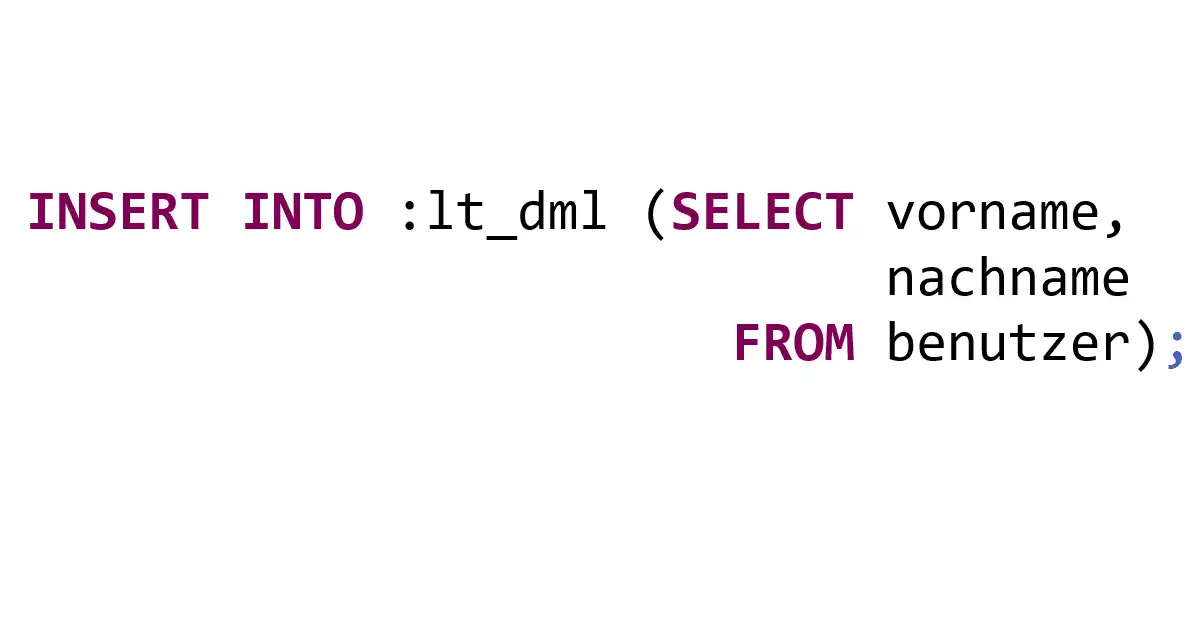
To insert data into a DML table variable, we have to use the INSERT statement:
INSERT INTO :lt_dml (SELECT vorname,
                            nachname
                       FROM benutzer);
However, read access to DML table variables with a SELECT query works just like with ordinary table variables:
SELECT *
  FROM :lt_dml;
If the same data is to be processed both in DML table variables with DML statements and in normal table variables with the other statements, you have to copy it from one variable to the other:
lt_normal = SELECT * FROM :lt_dml;
Source: SQLScript for SAP HANA, 2nd edition
Conclusion
The new DML table variables are super practical. But the incompatibility with the other table variables is annoying. Above all, I really miss the inline declaration through a simple assignment in the new concept.
Footnotes
-
Data Manipulation Language ↩